
Looking for the best ink tank printers that save you money and deliver vibrant prints? You deserve a printer that doesn’t break the bank while offering top-notch performance. We understand the frustration of wasted ink and costly replacements, so we’ve gathered the most reliable and user-friendly options. Discover cost-efficient inkjet solutions that ignite creativity and simplify your printing tasks. Let’s dive into the world of amazing printers that truly transform your work and craft!
Contents
- Top 5 Ink Tank Printers:
- 1. Epson EcoTank Pro ET-5850
- 2. HP OfficeJet Pro 9135e
- 3. Canon Pixma MG3620
- 4. HP OfficeJet Pro 9730e
- 5. Canon imagePROGRAF PRO-310
- Things to Consider Before Buying a Ink Tank Printer:
- What Sets Ink Tank Printers Apart
- The Science of Ink Delivery Systems
- Evaluating Color Accuracy and Consistency
- The Impact of Print Materials and Media
- Required Upkeep and User Responsibilities
- Life Expectancy of Ink Tanks vs. Conventional Cartridges
- Wireless Printing and Smart Technology Integration
- Evaluating Software and App Ecosystems
- Summing up
Top 5 Ink Tank Printers:
1. Epson EcoTank Pro ET-5850

If you’re looking for a reliable inkjet printer for your small or home office, the Epson EcoTank Pro ET-5850 is worth a look. This secure, mobile supertank printer features mess-free, easy-to-fill ink tanks and the power to print crisp, clear documents and photos up to 25 pages per minute (1). One standout feature is its creative ink tank system that, according to the manufacturer, can print thousands of pages before you need to refill the container. It’s a simple design that solves the perpetually annoying and often expensive issue of running out of ink. With an ink purchase, you get enough to print up to 4500 pages in black or 7500 pages in colour!
Created for the home and small business world, the EcoTank Pro ET-5850 supports multiple connectivity options, allowing you to print from any device. An automatic document feeder (ADF) for unattended faxing, scanning or copying of up to 20 sheets of letter-size or legal-size paper, as well as the ability to easily copy both sides of an ID card on a single side of paper helps you get through a variety of tasks without interruption, and the ADF is designed to process up to nine pages per minute.
Though it’s a great all-around printer that produces professional-looking text documents, photo prints aren’t up to the same level we’ve come to expect for professional use (they look a little grainy).
One thing to bear in mind is the rivalry between ET-5850 and ET-5800, with regard to cost: the ET-5850 comes at the high end of the price scale, and this fact can make a difference with certain budgets. But for a dependable, all-encompassing workhorse of a printer that can handle a range of office tasks, the Epson EcoTank Pro ET-5850 is definitely one of the best for making sure you stay as productive as possible.
2. HP OfficeJet Pro 9135e

For those looking to handle less printing and want a more traditional model with ink cartridges, the HP OfficeJet Pro 9135e might be an option. That’s because this printer is packed full of features that are present on larger all-in-ones, such as an ADF, duplex scanner, and automatic duplex printing. Your printing experience just got even more efficient with large capacity input tray & various connectivity options, including printing from USB you will never run out of printing options again.
Printing is fast up to 23 ppm for black and 15 ppm for color with the OfficeJet Pro 9135e for every day document prints. It’s strongest in document sharpness, but it can be a bit limited when it comes to photo printing since it has a lower print resolution and narrower colour gamut.
This model uses standard ink cartridges (with a lifespan of around 1,400 black and 750 color pages per cartridge). The return may not knock your socks off like the supertank models, but overall, the cost factor of the cartridges helps with the ongoing maintenance. Also, HP includes six months free ink with its ink replacement service, which helps soften the blow of the initial cost of ownership.
But remember, if you subscribe to this service you won’t be able to use 3rd party cartridges, even if you decide to cancel later. And then there’s the fact that all printing is done over the Web: The printer, in other words, doesn’t work at all without a live internet connection. Knowing these things will assist you in deciding whether the HP OfficeJet Pro 9135e is the right printer option for you.
3. Canon Pixma MG3620
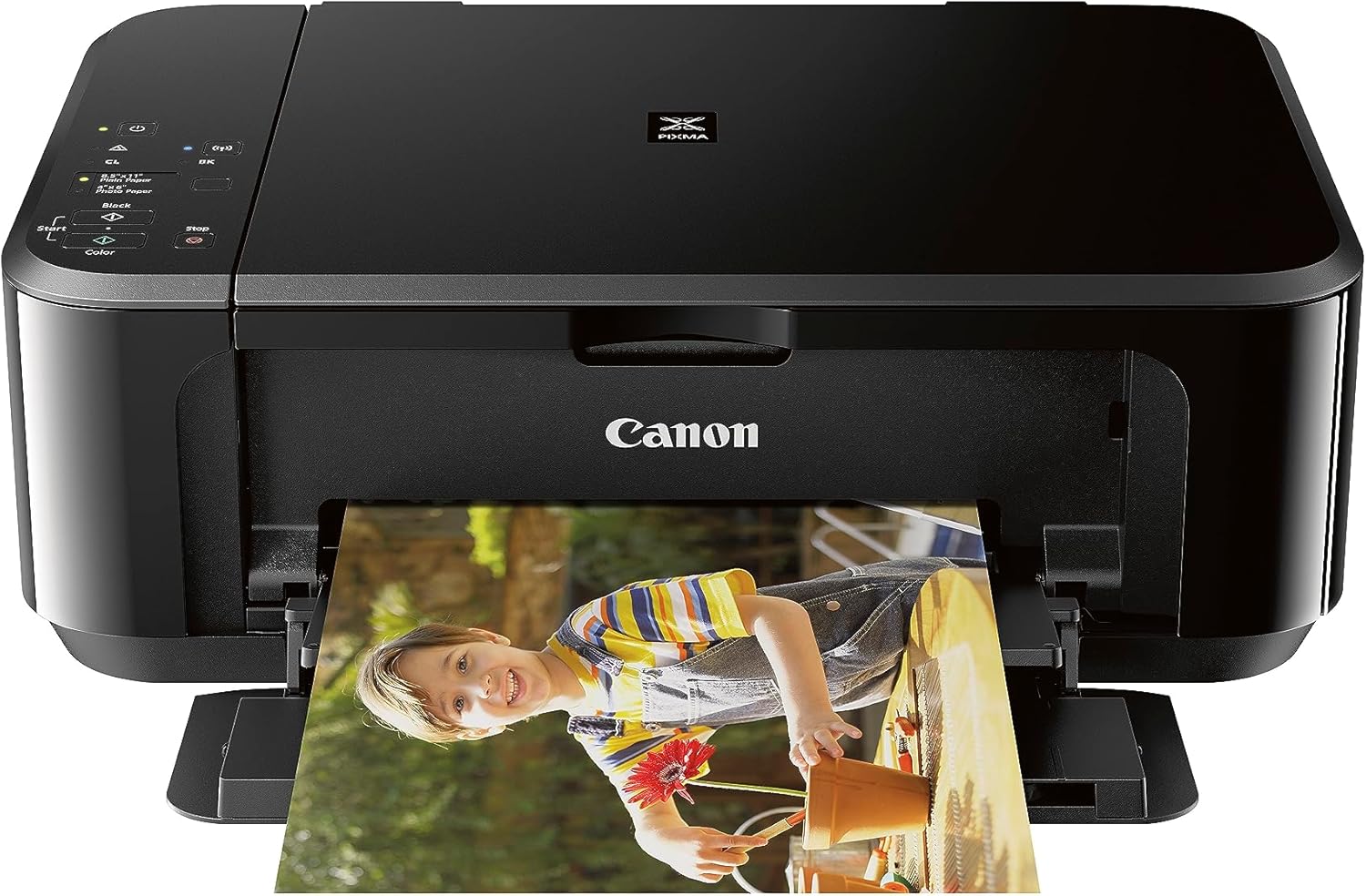
If you are looking for a printer for the not so heavy work, the Canon PIXMA MG3620 might just be it. It’s not the most heavy-duty printer or high-end device, but it gets you good solid color for your documents and photos. But there are also things you need to realize about it. The low page output can be a drawback, especially if you have a habit of printing often. For hot-volume users, this probably means spending a lot of time cleaning out the printer, and dealing with waste paper and time because prints end up either half-printed/faded.
If you’re an infrequent printer for the odd project, you might want to opt for a budget laser printer instead. Inkjet options such as the PIXMA MG3620 can become clogged when not used often enough; the cost of the replacement ink cartridges can end up being more than the printer. It’s is certified frustration free which is a common complaint with a new printer – it’s a simple laser printer, if they don’t choose this they may fall into the pitfall of buying an inkjet one.
In the end, whether to go inkjet or laser depends on how you use a printer today. If your focus is budget friendly, and you need a printer for the basics, then the Canon PIXMA MG3620 can do the job. But if you’re into streamlining and you print a lot, doing some hard thinking will direct you toward a more suitable device. Compare both types and make a choice according to your printing needs, let meet your expectation by choosing the right investment suitable for your printing frequency.
4. HP OfficeJet Pro 9730e

If you want a wide format all-in-one that is also an office printer, the HP OfficeJet Pro 9730e is an option. This all-in-one solution is ideal for printing posters, charts and blueprints, with paper sizes up to 11″ x 17″. It also makes regular ink cartridges that have to be replaced (conveniently) frequently — around 1,400 black and 600 color prints. For even greater value and performance, use high capacity XL cartridges. these will give you 2,500 black and 1,650 color prints.
On the note of quality, you can expect documents to be sharp and the printing speed is good for an inkjet. While it has a good color gamut, and is good in terms of accuracy for photo printing, some images may look grainy, and warm flesh tones might look too warm.
The OfficeJet Pro 9730e also offers a comprehensive scanner, with a flatbed (capable of handling paper up to A4, with an 11″ x 17″ maximum size) as well as an Automatic Document Feeding (ADF) option for double-sided scanning. But then you might also observe that quality of scanner sucks, aggressive image processing can easily remove fine details.
The model also includes three months of free ink through the HP+ subscription service, although there are some caveats to keep in mind. You’ll need an always-on internet connection for printing, even over a USB connection, and third-party cartridges are a no-go.
5. Canon imagePROGRAF PRO-310

If you are shopping around for a photo printer, especially one that is really good at delivering the most vibrant and accurate images, consider the Canon imagePROGRAF PRO-310. This printer boasts an advanced pigment-based ink set that delivers an astounding level of detail and subtlety with nine ink cartridges enabling high image quality and color fidelity in your prints. The white in gloss coating ‘Chroma Optimizer ensures uniformity in the image and sealing the image to provide high glossiness, extending the durability of the print and protecting your photo from environmental factors such as scratch or colour fading when it exposed in the environment.
The PRO-310 can fit an array of paper sizes up to 70” long making it perfect for posters and signs. But it’s a great device for photographs, you just need to be aware that for pages of documents it can be a bit slow at one page per minute and there is no automatic duplex printing.
Not a scanner, as is, if you up to scanning you’ll have to buy another device. Furthermore, the PRO-310 takes up a lot of desk space, so plan ahead!
In terms of cost, the printer’s ink cartridges have a good yield and are reasonably priced when purchased individually so you can replace only what you need. That said, you’ll be able to save a decent amount while still depending on the inflexibility of having ten ink cartridges. You can always ensure that your printing budgets are in line by controlling your ink consumption and choosing which cartridges you should buy. All in all, if you are serious about photo prints than the Canon imagePROGRAF PRO-310 is well worth the investment.
Things to Consider Before Buying a Ink Tank Printer:
Many people look for cost-effective and efficient printing solutions, making ink tank printers a popular choice. Before you invest in one, it’s important to evaluate your printing volume, budget, and the type of documents you frequently print. You should also consider printer size, ink refill costs, and compatibility with your devices. Understanding these factors helps ensure you select a printer that meets your needs and delivers long-term savings without compromising on quality or convenience.
What Sets Ink Tank Printers Apart
Unlike cartridge-based printers that require frequent replacements, ink tank printers feature transparent tanks that let you monitor ink levels easily. This design not only lowers per-page expenses—sometimes by up to 90% compared to cartridges—but also minimizes environmental waste. Additionally, ink tanks supply ink more continuously, reducing print interruptions and offering consistent output, ideal for high-volume printing environments.
The Science of Ink Delivery Systems
Ink tank printers employ a gravity-fed or pressurized system to transfer ink from the tanks to the print head, ensuring a steady and controlled flow. This method reduces ink drying inside the nozzles and allows for efficient use of dye or pigment-based inks, providing vivid colors and sharp details. The technology also supports larger nozzle arrays, enhancing speed without compromising precision.
Diving deeper, many models utilize capillary action within tiny channels to maintain an optimal ink supply at the print head. This design minimizes clogging by keeping nozzles moist and ready to print at a moment’s notice. For example, Epson’s Micro Piezo technology integrates piezoelectric elements in the print head to eject droplets with remarkable accuracy. This level of control ensures your prints retain sharpness and color fidelity, whether producing documents or high-resolution images.
Evaluating Color Accuracy and Consistency
Color fidelity depends on the printer’s ink formulation and its ability to reproduce shades reliably across different sessions. Some models use pigment-based inks known for durability and rich blacks, while dye-based inks offer vibrant colors but can fade faster. Calibration routines and color management profiles also play roles in maintaining consistency, preventing noticeable shifts between prints. You might find that printers with multi-color tanks or additional cartridges produce broader, more accurate palettes, vital for photo enthusiasts seeking precise skin tones or logo colors in branding materials.
The Impact of Print Materials and Media
The type of paper or media you choose profoundly influences the printer’s output quality. Glossy photo papers enhance color vibrancy and gloss but may exacerbate smudging with certain inks. Matte media offers subdued tones and less glare but can make colors appear duller if the ink isn’t absorbed optimally. Specialized papers infused with coating layers can boost detail clarity, but often require specific ink formulations for best results. Selecting the right combination ensures that ink adheres properly and that the intended color reproducibility and sharpness are achieved consistently.
Delving deeper, print media’s surface texture and weight affect ink absorption rates and drying times, influencing both the print’s clarity and smudge resistance. Heavier paper stocks, like 200 gsm or above, typically deliver superior structural support for detailed images, reducing warping with heavy ink coverage. Coated papers, such as those with microporous coatings, prevent ink from bleeding, enabling sharper edges and richer color saturation. Conversely, cheaper or uncoated papers can cause ink to feather, blurring fine lines and muting colors. Understanding these interactions helps you match your printer’s capabilities with media that optimize your output’s aesthetic and longevity.
Required Upkeep and User Responsibilities
Ink tank systems need you to monitor ink levels closely and ensure tanks are refilled with the specified inks to prevent damage. Periodic nozzle cleaning, manual or automated, prevents ink drying that can clog heads. Also, you’ll want to handle the printer carefully during transport or relocation, as air bubbles in ink lines can disrupt flow. Unlike cartridge swaps, refilling demands a bit of care and attention but can significantly extend printer usability if done correctly.
Life Expectancy of Ink Tanks vs. Conventional Cartridges
Ink tanks generally provide a longer printing lifespan before requiring a refill compared to conventional cartridges. While cartridges might last for 200-300 pages, tanks often yield upwards of 4,000 pages per set of inks. This translates to fewer interruptions and reduced waste, though the mechanical parts themselves still face wear and tear over similar periods.
Expanding on longevity, ink tank printers excel in page yield efficiency. Tanks hold significantly more ink, making them ideal for heavy users or small offices, reducing your frequency of maintenance stops to replenish ink. However, because these printers rely on continuous ink supply rather than individual cartridges, the internal tubing and printhead assemblies must be regularly serviced to prevent clogs. Over three to five years, if you maintain the device well, ink tanks typically outlast cartridge models in terms of cost per page and uninterrupted use, but mechanical longevity depends largely on your routine care.
Wireless Printing and Smart Technology Integration
Wireless printing capability allows seamless connection across smartphones, tablets, and laptops, enabling you to print without transferring files via cables. Models equipped with smart assistants, such as Amazon Alexa or Google Assistant, offer voice-command printing, adding an extra layer of convenience. Some advanced ink tank printers also feature mobile apps that help monitor ink levels and run diagnostics, simplifying maintenance and enhancing your control from anywhere.
Evaluating Software and App Ecosystems
Software compatibility plays a significant role in how efficiently you can manage print jobs and troubleshoot issues. Look for printers that offer robust apps with features like customizable print settings, scanning directly to cloud storage, and secure print release. Some brands provide regular app updates, increasing functionality and enhancing security, which can extend the useful life of your printer.
Diving deeper, consider how well the printer’s software integrates with popular platforms like Google Drive, Dropbox, or Microsoft Office. High-quality apps often support features such as batch scanning, multi-page edits, and remote access, facilitating workflow automation. Additionally, user reviews and expert tests frequently highlight the responsiveness and intuitiveness of printer apps, helping you select a machine that matches your tech proficiency and workload demands.
Summing up
Presently, when choosing an ink tank printer, you should evaluate your printing volume, budget, and the cost of replacement ink to ensure long-term savings. Consider the printer’s compatibility with your devices, its print quality, and any additional features that match your needs. Pay attention to the printer’s size and connectivity options for convenience. By thoroughly assessing these factors, you can make an informed decision that aligns with your printing habits and provides reliable performance.
Leave a Reply