
Finding the best cable modems is the secret to unlocking the internet you already pay for. Are you tired of frustrating lag and wasting money on monthly rental fees? It’s time to take control and unleash your network’s true potential. This guide breaks down the top models that deliver blazing-fast, reliable internet speed for seamless streaming and gaming. Let’s dive in and find the perfect modem to supercharge your connection and slash your monthly bill.
Contents
- Top 5 Cable Modems:
- 1. NETGEAR Nighthawk CAX30 Cable Modem
- 2. ARRIS Surfboard S34 Cable Modem
- 3. Motorola B12 Advanced Compact Cable Modem
- 4. ARRIS Surfboard SB8200 Cable Modem
- 5. NETGEAR Nighthawk C7000 Cable Modem
- Things to Consider Before Buying a Cable Modem:
- Types of Cable Modems
- DOCSIS Standards
- Internet Speed Compatibility
- Future-Proofing
- Reading User Reviews
- Warranty and Support
- Summing up
Top 5 Cable Modems:
1. NETGEAR Nighthawk CAX30 Cable Modem

If you’re in the market for efficient, reliable home internet that doesn’t require flipping between a dozen different boxes, NETGEAR’s Nighthawk CAX30 reduces clutter and cranks up performance. You will have dual-band WiFi 6 reaching up to 2.7 Gbps combined speeds, so you can stream away in 4K or game competitively while moving big files without choking your network. Coverage is up to 2,000 sq. ft. and supports around 25 devices, great for laptops, smartphones, smart TVs, cameras and consoles throughout your space.
More processing power for faster performance and stronger, more reliable WiFi due to higher throughput Six (6) 10/100/1000 Mbps Gigabit Ethernet ports Ideal for extending WiFi to devices like the iPhone 6, 6s, 7, 7s, Samsung Galaxy S7 edge, iPads, and MacBook Pro Extreme dual band WiFi speed up to 3000Mbps. That means your video calls are still crisp, there’s no buffer bloat for your kids’ streams, and your console can hold low-latency connections even when everyone is online at the same time. Dual bands let you split lightweight tasks and high-bandwidth activities, so everything runs very smoothly.
Setup is easy, and after you are up and running, it’s very easy to manage day-to-day. You can customize network names and passwords, carve off a guest network for visitors and keep your most important devices prioritized.
Whether it’s to set up a home office, gear up for marathon gaming or simply replace an older router with something that can handle mixed demands, the CAX30 is ready. It works with PCs and consoles, and it’s adaptable as you expand your collection of smart home devices.
Go with the Nighthawk CAX30 if you’re looking for all-in-one power in a cable modem plus WiFi 6 system that provides robust whole-home coverage, maximum modern device capacity and the freedom to service work, gaming and everyday use without breaking a sweat.
2. ARRIS Surfboard S34 Cable Modem

If you’re looking for an easy way to boost the speed of your home internet and keep your network under control, the ARRIS Surfboard S34 is a clean, dependable option. You receive a trusted brand used in homes for over 260 million — making this Compact OneMesh WiFi Extender the fastest way to upgrade your products You have Practical momory design: OneMesh Technology keeps you connected for even further and stable coverage. The S34 connects to your Wi-Fi router via Ethernet, so you can pick the wireless setup that suits your space best – whether that’s a gaming-ready router, a mesh system or the one you already have.
Activation is straightforward. Plug it in, use the SURFboard Central app to get online, and you can connect laptops, smart TVs, gaming systems, tablets and phones through your router. The end result is a solid wired handoff to your home network that reduces buffering, dropouts and random slowdowns when the action gets frenetic with multiple devices streaming HD content at once.
Compatibility is broad. The S34 is compatible with all major cable providers, such as Comcast Xfinity, Cox and Spectrum, so you can upgrade your modem without needing to rearrange the rest of your setup. Combine with a new router to maximize your plan speeds and improve in-home network experience, 4K streaming, and online gaming.
Get the Surfboard S34 if you want reliable performance, easy app-led setup and the ability to run the Wi-Fi system you choose—so your devices stay fast and your network stays yours.
3. Motorola B12 Advanced Compact Cable Modem
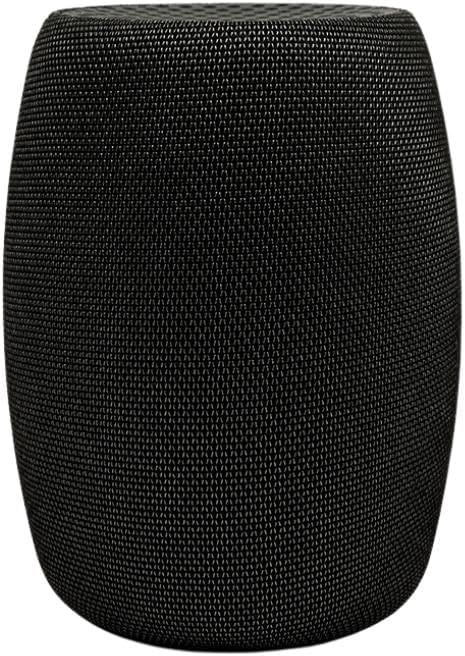
If you desire faster, better internet with reduced lag for calls, gaming and streaming the Motorola B12 Advanced Compact Cable Modem is designed for you. You also receive Active Queue Management (AQM) which optimizes latency and reduces traffic congestion, without the need for complex port management for network optimization so your connection is always optimized. A 2.5Gb Ethernet port provides faster, more reliable internet connection – supporting downstream rates of up to 1.9Gbps and upstream rates up to 800Mbps (with your existing network infrastructure), while multi-gig support offers data transfer rates when combined with a network switch or computer that also supports 2.5Gb speeds
You keep your Wi-Fi setup in the palm of your hand. Match the B12 with the router you already love — or upgrade to a high-performance, whole-home system. The wired handoff provides rock-solid, speedy connectivity — leaving the router to handle wireless for phones, tablets, TVs and consoles.
Everyday benefits include better responsiveness on all your devices—snappier page loads, cleaner 4K streaming and smoother cloud backups—especially when your household is as busy as mine. The pinched wastebasket design allows for easy emptying and the space-efficient size fits anywhere in your home.Built tough, works great.
Opt for the Motorola B12 if you’re in search of a small, provider-approved modem that minimizes latency, delivers multi-gig speeds through a 2.5GbE port, and enables you to run your preferred Wi-Fi system—so your network can keep up with work, play and everything else.
4. ARRIS Surfboard SB8200 Cable Modem

If you’re looking for a hassle-free way to improve speed and stability in your entire home network, this is an easy win and the ARRIS SURFboard SB8200 is a worthwhile upgrade. You get DOCSIS 3.1 performance built for all day, whole home streaming with features like a back up battery option that keeps your Internet going even when the power goes out. Set up remains easy: just plug it in, open the SURFboard Central app, follow activation instructions and hook up the modem to your Wi-Fi router with Ethernet in order to go on line with all your devices.
Control your wireless experience: With Highest grade materials against heat and EMI maintain the fastest, uninterrupted connection only the SB8200 can give. Device is a modem only. You may also use it with router if you don’t have Windows 10. Up to 500 square Feet of wall-to-wall coverage.Exceptional Wi-Fi coverage throughout your home Compatibility : This product works with any wired Ethernet or wireless devices.Add on to your existing Coverage with additional nodes; Requirements: •AC power outlet •High speed internet connection • Connectivity Technology:Built in wifi Encrypts information using WPA or WPA2 security protocols.getPort control/custom Port Forwarding/port Triggering.publication date is july 2019,21 Enjoy ultra-fast internet speeds As a current subscriber to high-speed internet service, you will be able to install the surfboard sb8200 cable Modem within minutes. The dedicated modem-to-router handoff is designed to minimize network congestion so 4K streaming, cloud backups, and video calls won’t slow down even at peak times. And with a brand that’s sold more than 260 million modems worldwide, you know you’re in good hands day after day.
Since the SB8200 has just one ethernet port that plugs into a separate router, you can customize how much Wi-Fi coverage you want (add more, split bands, prioritize devices), and make changes without affecting your underlying internet. That translates to better performance for work, play and everything in between.
5. NETGEAR Nighthawk C7000 Cable Modem

If you are looking for a straightforward way to potentially get faster network speeds and reduce the mess of wires in your home, the NETGEAR Nighthawk C7000 provides such a combo: It’s a cable modem plus dual-band Wi-Fi router with one less device to occupy your shelf space. It’s designed for cable plans up to 800 Mbps, so you can stream in 4K, play games online and download large files without slowing down the rest of your house. Wireless coverage up to 1,800 sq. ft. and accommodates 30 phones, laptops, smart TVs, cameras and even your wireless printer so everyone gets — or prints — their fair share.
There is flexibility for wired gear here as well. Four Gigabit Ethernet ports deliver fast, reliable Internet access for a gaming console, desktop computer, smart TV and more A USB port lets you share a storage drive or printer across your network; Can be used as a backup system when connected to an external hard drive via USB The Nighthawk App makes it easy to set up your router and get more out of your WiFi. Dual-band Wi-Fi aids with traffic: 2.4 GHz is ideal for range and mean tasks, but when high-bandwidth activities like gaming or UHD streaming are afoot, the more spacious 5GHz can quickly make them play.
The task of management remains straightforward day to day. Alexa compatible and built with parental controls so you can pause Wi-Fi, view site history usage, and filter websites for free. Less distractions during homework, and more peace of mind on work calls.
If you want cable-plan-ready speed, a strong whole-home Wi-Fi signal and wired connectivity that gives you flexibility now — plus helpful controls to ensure that your network is running as efficiently as possible for gaming, streaming and daily use — we recommend the Nighthawk C7000.
Things to Consider Before Buying a Cable Modem:
Modem selection directly affects your network speed, reliability, and long-term compatibility. When you shop, assess DOCSIS version, ISP compatibility, maximum downstream/upstream speeds, channel bonding, and whether a modem/router combo fits your needs. Check firmware update policy, warranty, and performance with multiple devices, and confirm the modem supports your subscribed plan and future upgrades. Balance upfront cost against rental savings over time, and place the unit for proper airflow and signal. Making these checks ensures you choose a modem that meets your usage today and scales as your needs grow.
Types of Cable Modems
You’ll find basic single‑channel modems for legacy tiers, DOCSIS 3.0 bonded modems (common 16×4 or 24×8 configurations), DOCSIS 3.1 units built for gigabit plans, gateway combos with integrated Wi‑Fi, and business/eMTA models offering voice or static IPs. Compare downstream/upstream channel counts, Ethernet port speeds, and ISP approval lists to match your service tier.
DOCSIS Standards
DOCSIS 3.0 achieves higher aggregated throughput via channel bonding—typical retail modems use 16×4, 24×8 or 32×8 setups that support many consumer plans up to several hundred Mbps. DOCSIS 3.1 adds OFDM/OFDMA for much greater capacity and lower latency, enabling gigabit and multi‑gig downstream performance. DOCSIS 4.0 targets symmetrical multi‑gig speeds and improved upstream for future ISP rollouts.
Internet Speed Compatibility
You should match the modem’s sustained throughput to your plan rather than headline speeds; a 300–600 Mbps plan pairs well with 24×8 or 32×8 DOCSIS 3.0 modems, while consistent 1 Gbps or multi‑gig performance typically requires DOCSIS 3.1 and a 2.5 Gbps Ethernet port to avoid bottlenecks at the WAN/LAN interface.
Future-Proofing
You should pick hardware that scales with expected upgrades: DOCSIS 3.1 for multi‑gig headroom, 2.5 Gbps or higher LAN ports for faster local networks, and vendor firmware that receives patches—this protects your investment as providers roll out faster tiers and low‑latency services.
Opt for modems with OFDM support, multi‑threaded processors, and at least one 2.5 Gbps port if you plan to adopt Wi‑Fi 6/6E routers or link aggregation in the next 3–5 years; documented firmware update policies and a 2–3 year warranty indicate better long‑term support.
Reading User Reviews
Scan dozens of reviews to spot recurring faults—thermal shutdowns, frequent reboots, or firmware delays. Pay attention to reports of sync loss during peak hours and real-world throughput versus advertised speeds (users often report 700–900 Mbps on gigabit plans with DOCSIS 3.1). Prioritize reviews from customers using your ISP and note how vendors respond to complaints for a clearer picture you can trust.
Warranty and Support
Check warranty length (most modems offer 1–2 years) and coverage details: defects vs. ISP-related issues. Verify whether the manufacturer provides advanced-replacement RMAs and how long firmware updates are issued—monthly, quarterly, or seldom. Keep purchase receipts and the device serial for claims, and favor vendors with clear, documented support channels so you can resolve failures quickly.
Evaluate retailer return windows (often 30 days) versus the manufacturer’s warranty start date; refurbished units may carry shorter coverage. Test the modem immediately to document faults within the return period, confirm whether warranties are transferable, and measure support responsiveness (same-day chat vs. 3–5 business days by email). The presence of active user forums and published firmware changelogs indicates ongoing vendor commitment.
Summing up
The right cable modem balances DOCSIS version, ISP compatibility, speed tier, channel bonding, Ethernet ports, firmware update practices, warranty and support, and security features; you should verify your ISP’s compatibility list, match the modem to your plan’s speeds, favor DOCSIS 3.1 for future-proofing, and factor total cost of ownership.
Leave a Reply