
Finding the best gaming TVs shouldn’t feel like a boss fight, yet input lag often ruins the fun. You deserve a breathtaking screen that makes every victory feel legendary and every world look stunning. We’ve tested the top models to find the perfect balance of fast refresh rates and 4K resolution. Stop settling for blurry graphics and start winning your games today. Here are our top picks for your ultimate home setup.
Contents
- Top 5 Gaming TVs:
- 1. LG 65-Inch OLED evo AI 4K C5 Series Smart TV
- 2. Samsung 65-Inch QLED Q8F 4K Smart TV
- 3. Hisense 65-Inch U7 Mini-LED 4K Google Smart TV
- 4. Sony 65-Inch 4K Ultra HD BRAVIA 3 LED Smart TV
- 5. TCL 65 Inch QM6K Series Smart Google TV
- Things to Consider Before Buying a Gaming TV:
- LCD vs. OLED
- 4K vs. 1080p
- Refresh Rate
- Input Lag
- Viewing Distance
- HDR and Color Accuracy
- Researching Brands and Models
- Advantages
- Disadvantages
- To wrap up
Top 5 Gaming TVs:
1. LG 65-Inch OLED evo AI 4K C5 Series Smart TV

Designed with gamers in mind, the 65-inch OLED evo AI 4K C5 Series offers outstanding contrast, quick motion, and picture quality that will make any scenario pop. Great for both cinematic and competitive gaming, LG’s OLED technology utilises self-lit pixels to provide rich color and Perfect Black, ensuring that dark regions remain genuinely dark and dazzling highlights retain their richness.
You won’t need to turn off the lights to enjoy your games anymore thanks to the TV’s Brightness Booster and its ability to function well in both dark and light environments. By optimising the image and enhancing lower-resolution content with AI upscaling, the Alpha 9 AI Processor Gen8 brings a professional sheen to all your media.
With Dolby Vision, colors and contrast are enhanced, Dolby Atmos delivers more immersive sound, and FILMMAKER MODE, films may be presented more accurately while preserving their original look. These features are perfect for story-driven games and movies.
In a game context, its strengths lie in responsiveness and command. In order to provide smoother and clearer motion, you receive an extremely low reaction time in addition to compatibility for high refresh rates up to 144 Hz. Lessening tearing and stuttering, VRR, AMD FreeSync Premium, and NVIDIA G-Sync all work together to maintain smooth gaming. The four HDMI 2.1 connections allow you to connect several consoles and a PC, while the Game Optimizer and Game Dashboard from LG allow you to easily alter important settings without stepping out of the game.
2. Samsung 65-Inch QLED Q8F 4K Smart TV

The 65-inch Samsung QLED Q8F is designed to impress with its ability to maintain brightness, color, and smoothness even during fast-paced activity. Thanks to AI-optimized upscaling, which improves picture and audio depending on what you’re watching, the 4K display makes movies, shows, and games look sharp even when the original source isn’t ideal.
The true jewel in QLED’s color crown is its Quantum Dot technology. Colorful games don’t look washed out because to the more than a billion shades that remain true even in bright scenes, while gloomy settings retain excellent depth and texture. Because of this brightness advantage, gaming and watching sports in rooms with lots of daylight is also easier.
Its small profile means it won’t protrude from your wall and will help your setup maintain an air of contemporary minimalism. When it comes to entertainment, you’re not short of options. Samsung TV Plus gives you access to thousands of channels, and there are free streaming apps as well. So, you can always find something to watch without paying for a separate membership.
Performance in motion is a huge plus for athletics and video games. With a 120 Hz refresh rate and support for virtual reality gaming at up to 4K 144 Hz, you can enjoy smoother movement and less screen tearing in fast-paced games like racing, shooters, and matches. The Q8F is an excellent choice if you’re looking for a screen that’s both snappy and bright, and that can handle regular streaming as well as games.
3. Hisense 65-Inch U7 Mini-LED 4K Google Smart TV
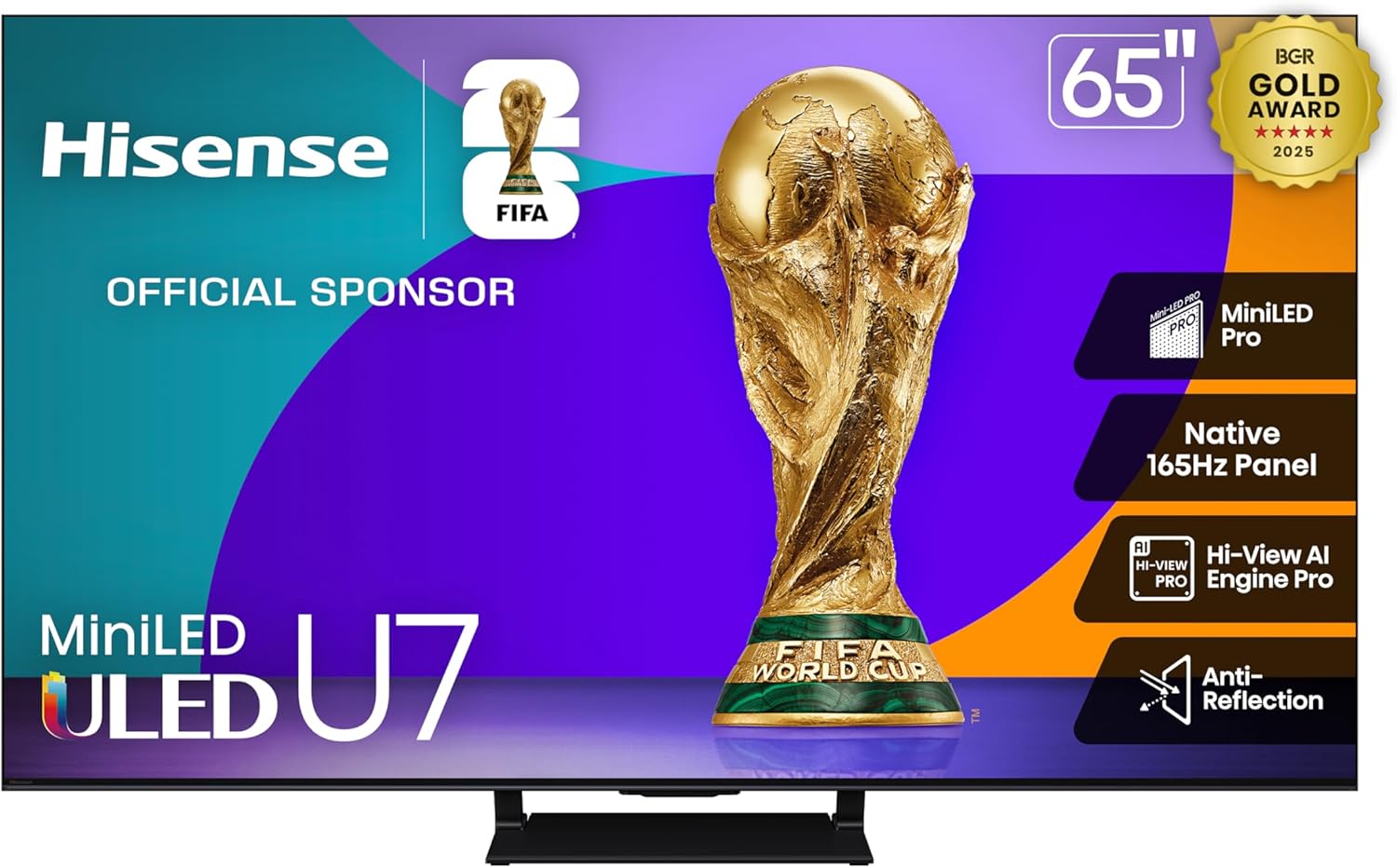
Even in direct sunlight, the 65-inch Hisense U7 Mini-LED maintains its brightness, speed, and clarity, making it an ideal gaming TV. For low-light settings or games with a lot of contrast, Mini-LED Pro’s hundreds of small LEDs with up to three thousand zones of local dimming and three thousand nits of peak brightness will provide you with superior shadow depth, deeper blacks, and fewer distracting halos.
One of its strongest points is its speed. With VRR compatibility ranging from 48Hz to 165Hz and Game Booster 288, motion stays fluid even when the action gets intense on the native 165Hz panel. Reduced input latency and tearing are benefits of low-latency motion processing, Auto Low Latency Mode, and AMD FreeSync Premium Pro that are important in competitive gaming, racing, and first-person shooters.
Using hisense also makes maintaining control during the game more easier. You may bypass the menus entirely with the Enhanced Game Bar, which allows you to change critical settings and keep an eye on performance right on the screen. In order to make everything appear more polished, Hi-View AI Engine Pro automatically optimizes the picture and sound depending on what you’re watching or playing.
Anti-Reflection helps cut down on glare in light environments, and the integrated 2.1.2-channel system with Dolby Atmos provides a more immersive listening experience, thanks to its up-firing speakers and subwoofer.
4. Sony 65-Inch 4K Ultra HD BRAVIA 3 LED Smart TV

With Sony’s picture processing strengths, the 65-inch BRAVIA 3 provides a well-rounded configuration ideal for casual gaming, streaming, and movies. With Google TV, all of your applications and recommendations are in one convenient spot, and with Google Assistant, searching for shows, adjusting settings, or controlling smart-home devices is as easy as speaking.
4K HDR compatibility with Dolby Vision and Atmos enhances the sound experience for movies and TV shows with more dramatic highlights and deeper contrast. Even on a 65-inch screen, older or lower-resolution video looks cleaner thanks to Sony’s 4K HDR Processor X1, which works in real time to improve contrast and clarity.
The use of color is also noteworthy. The wide spectrum of true colors produced by Triluminos Pro makes games and movies look more lifelike, particularly in bright areas when less expensive TVs tend to look washed out.
This device prioritizes optimum efficiency and comfort over excessive refresh rates when it comes to gaming. If you play on a console and want responsive, fluid gameplay in most games, this 60Hz panel is a fantastic choice. It also has capabilities designed for PlayStation 5 to automatically adapt the visual settings for gaming and streaming.
With its excellent HDR, accessible smart features, and Sony’s solid processing, the BRAVIA 3 is a practical choice for anybody looking for a dependable big-screen TV that confidently tackles everyday entertainment.
5. TCL 65 Inch QM6K Series Smart Google TV

The TCL QM6K Series is an excellent choice if you’re looking for a 65-inch TV that offers top-notch performance in key areas, such as gaming, sports, and streaming, without breaking the bank. In both low- and high-light settings, the QD-Mini LED design’s combination of Mini-LED backlighting with Quantum Dot color results in more vivid colors, sharper details, and more contrast, thanks to its more than a billion shades.
To make blacks appear deeper and features remain crisper in high-contrast games and darker scenes, TCL developed the Halo Control System to lessen blooming and haloing around bright objects. That makes shadows look more realistic, and bright HUD elements and captions don’t melt into the background; they stay sharp.
If you frequently switch between streaming applications, consoles, and various forms of content, you’ll appreciate the adaptability of HDR support. Enjoy 4K HDR in the format your video supports with Dolby Vision, HDR10+, HDR10, or HLG for improved color depth, contrast, and highlight detail.
When it comes to quick action, motion handling is a huge victory. Motion Rate 480 attempts to lessen blurring caused by fast camera pans and movement, while a natural refresh rate of 144 Hz aids in maintaining fluid gameplay and sports. If you’re looking for a big-screen configuration that combines speed, brightness, and contrast, the QM6K is a great option, plus it comes with Google TV, so you can organize your apps and recommendations.
Things to Consider Before Buying a Gaming TV:
Gaming decisions should prioritize measurable performance: you need low input lag, a high refresh rate (120Hz+), HDMI 2.1 and VRR for next‑gen consoles/PCs, and accurate HDR and color tone mapping; also consider panel type (OLED vs LCD), screen size vs viewing distance, motion handling, game modes, and smart platform features that match your setup and budget to get the best in-game responsiveness and image fidelity.
LCD vs. OLED
You’ll notice OLED delivers true blacks and near‑instant pixel response, making HDR bloom minimal and motion crisp; manufacturers quote ~0.1 ms pixel response for top OLEDs. By contrast, LCD with VA panels and full‑array local dimming can hit 1500-2000 nits in premium models, giving superior HDR highlights in bright rooms while typically costing less.
4K vs. 1080p
You get 3,840×2,160 pixels with 4K-four times 1080p-so textures and UI scale much better on 55″+ screens; modern consoles like PS5 and Xbox Series X target native 4K and many PC GPUs (RTX 3080/4070+) are recommended for high settings at 4K. Meanwhile 1080p makes higher refresh rates achievable on mid‑range hardware and reduces bandwidth needs.
The tradeoffs matter: 4K demands more GPU power and HDMI 2.1 for 4K@120Hz, while 1080p allows sustained high frame rates on older GPUs and cheaper TVs; upscaling engines in TVs (e.g., Sony X1, Samsung Neural) can make 1080p content look excellent on 4K panels, but competitive players often prefer native resolution plus higher Hz for smoother input.
Refresh Rate
If you play fast shooters or racers, prioritize at least 120Hz to reduce motion blur and improve hit registration. Many consoles and GPUs now support 120Hz-PS5 and Xbox Series X offer 4K@120 in select titles, and HDMI 2.1 is required for full 4K120 passthrough. On PC, 144Hz or 240Hz at 1080p/1440p gives smoother motion; enabling VRR (FreeSync/G‑Sync) further reduces tearing and perceived stutter so your inputs feel more immediate.
Input Lag
For competitive sessions you should aim for under 10 ms total display lag, while casual console play is comfortable under 20 ms. Game Mode usually disables heavy post-processing to shave several milliseconds, and wired connections often trim controller latency versus wireless. Review tests that quote measurements from input-lag testers (Leo Bodnar, for example) to see real-world numbers for specific TV models before you buy.
To further lower input lag you can match native resolution to output, enable Game Mode, disable motion interpolation and local processing trickery, and use HDMI 2.1 when running 4K@120; using a wired controller or flushing USB polling rates also helps. Independent lab measurements (Leo Bodnar) and reviewer frame-by-frame tests reveal how different settings and modes change lag, so compare those figures for the exact models you’re considering.
Viewing Distance
Match TV size to seating so you see detail without noticing pixels: for a 55″ 4K set sit about 4-6 feet away, for 65″ aim 5-8 feet, and for 75″ consider 6-9 feet. If you game on PC or sit closer to exploit 4K detail, be aware close viewing can reveal uniformity or viewing-angle weaknesses on some VA panels. Adjust based on screen height, couch layout, and whether multiple viewers watch from different angles.
HDR and Color Accuracy
HDR performance is a balance of peak nits, color volume, and tone mapping: target at least 600 nits for impactful highlights and >90% DCI-P3 for saturated game colors. Prefer TVs with effective local dimming or OLED’s pixel control to maintain shadow detail, and look for dynamic formats like Dolby Vision or HDR10+ for per-scene metadata. Calibration controls and low deltaE in reviews mean colors will stay faithful across brightness ranges.
High-end QLED/mini-LED models often hit 1,000-2,000 nits in small-window HDR tests, driving specular highlights like explosions and sun flares; OLEDs typically reach 600-900 nits but deliver near-infinite contrast and truer blacks, which enhances perceived color depth. You should compare measured peak nits, APL behavior, and deltaE color accuracy from specialist reviews to judge real-world HDR; firmware and game-specific presets can also materially change HDR rendering after release.
Researching Brands and Models
You should compare brand strengths: LG leads in OLED panels (e.g., LG C2/C3), Samsung excels at mini‑LED/QLED brightness (QN90 series), Sony often wins in processing and upscaling, while TCL/Hisense offer value models; use Rtings and TechRadar measurements for input lag, peak nits, and color accuracy, and check how many HDMI 2.1 ports each model actually supplies.
When digging deeper, you should focus on measured metrics: input lag under 15 ms for fast response, peak HDR nit values (600+ nits for punchy HDR on LED), tested color volume and uniformity, plus VRR/4K@120Hz support; also verify firmware update frequency, burn‑in mitigation and warranty terms for OLED, and real‑world reviews that include motion tests and gaming sessions with PS5/Xbox Series X and high‑end GPUs.
Advantages
You gain access to 4K@120Hz gaming, low input lag (often <10-20 ms in Game Mode), and VRR/ALLM support that smooths frame pacing on PS5 and Xbox Series X; high-end QLEDs can reach 1,000+ nits for punchy HDR, while OLEDs offer near-infinite contrast and 1 ms pixel response, delivering cinematic visuals and competitive responsiveness for fast shooters and racing titles.
Disadvantages
You should expect trade-offs: flagship gaming TVs often cost, some models only expose HDMI 2.1 features on select ports, and panel issues like OLED burn-in or mini‑LED blooming can affect long-term picture uniformity and HUD-heavy games.
Delving deeper, you’ll find burn-in risk on OLEDs emerges over months with static HUDs unless mitigated by pixel shift and lowered brightness; HDMI 2.1’s 48 Gbps requirement means some manufacturers limit full bandwidth to one port, forcing you to plan cable routing; and inconsistent VRR/HDR implementations can require firmware updates or manual calibration to achieve the performance advertised.
To wrap up
With this in mind, weigh your priorities-input lag, refresh rate, HDR performance, resolution, and HDMI 2.1 features-against budget and room lighting; verify VRR and low-latency modes work with your console or PC, confirm screen size and viewing distance suit your setup, and check warranty and firmware update policies so you can rely on long-term performance and compatibility.
Leave a Reply