
Finding the best mesh wifi router is the ultimate secret to ending frustrating dead zones and lag forever. Are you tired of your video calls dropping the moment you leave the living room? You deserve a seamless connection that reaches every single corner of your home. We tested the top models for whole-home coverage to finally save your sanity. Imagine the pure joy of lightning-fast internet in every room. Let’s explore the top picks for your home.
Contents
- Top 7 Mesh Wifi Router:
- 7: TP-Link Deco S4 AC1900 Mesh System
- 6: TP-Link Deco X55 AX3000 Mesh System
- 5: TP-Link Deco 7 BE23 Mesh System
- 4: TP-Link Deco XE75 AXE5400 Mesh System
- 3: TP-Link Deco 7 Pro BE63 Mesh System
- 2: NETGEAR Orbi 770 Series Mesh System
- 1: Amazon eero Pro 7 Mesh System
- Things to Consider Before Buying a Mesh Wifi Router:
- Dual-Band vs. Tri-Band Systems
- Wi-Fi 6 vs. Wi-Fi 7 Standards
- Benefits of Seamless Roaming and Coverage
- Potential Drawbacks in Speed and Initial Cost
- Square Footage and Floor Plan Layout
- Device Density and Bandwidth Demands
- Initializing the Primary Hub and Satellites
- Strategic Node Placement for Maximum Range
- Implementing Wired Backhaul for Peak Stability
- Conclusion
Top 7 Mesh Wifi Router:
7: TP-Link Deco S4 AC1900 Mesh System
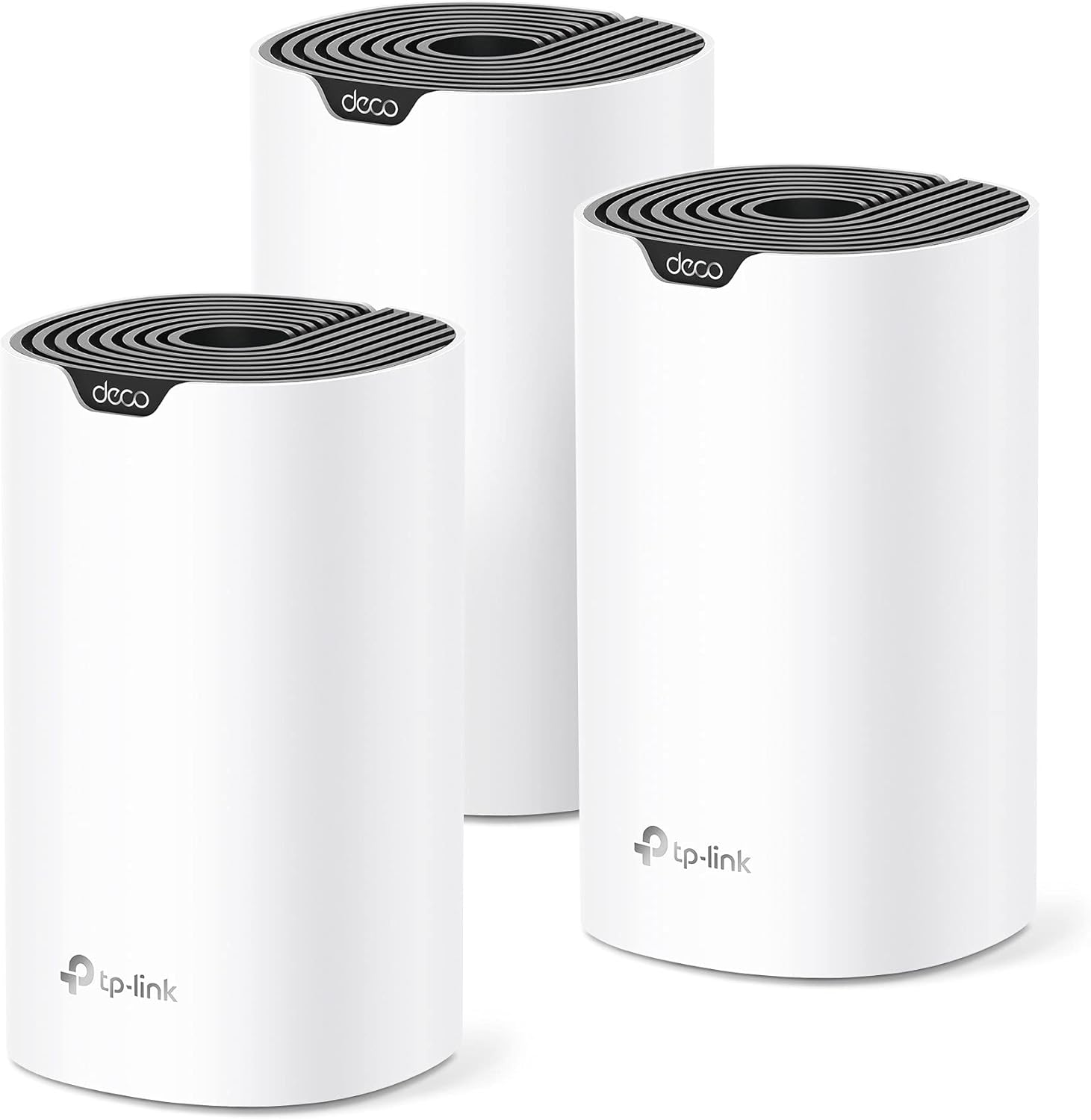
The most effective low-cost method of eliminating dead zones is the TP-Link Deco S4.Someone has relocated the router. A lengthener has been considered. Neither one made it to the master suite in the behind. The network will consist of three nodes.To begin, there are three apartments totaling 5,500 square feet. For each floor, there is a single network name and password.After that, there are six AC1900 streams, which means you can connect 100 devices without any buckling.
Lastly, all units come with gigabit Ethernet, allowing you to easily hardwire a TV or console to any location.Older phones won’t see a speed increase because it’s WiFi 5, not WiFi 6 or 7. Absence of 6 GHz spectrum. Devices and nodes share the same bandwidth.These are the best meshes for first-time buyers or renters looking to remedy a single problematic dead zone. Gigabit plans and 4K homes are not compatible.
6: TP-Link Deco X55 AX3000 Mesh System

Our top pick for a budget-friendly upgrade is the TP-Link Deco X55.Where your signal lands depends on the mesh you choose. It takes a while to get there. Oh, the X55 takes care of it.One major upgrade for current phones is WiFi 6 AX3000, which offers 2,402 megabits on 5 gigahertz.Following that, a whole smart home can have coverage that expands up to 6,500 square feet and as many as 150 devices.
Lastly, each node has three gigabit connectors, allowing you to run cable backhaul and preventing nodes from competing.Downside: there isn’t a 6 GHz spectrum, therefore all of your devices will have to share the 5 GHz lane with nodes. Only gigabit ports are enabled.application-only configuration.On the market for wired-backhaul planners and mid-size homes on a budget. Not suitable for customers with WiFi 7 or multi-gig plans.
5: TP-Link Deco 7 BE23 Mesh System

One of the most affordable authentic entry points into WiFi 7 is the TP-Link Deco 7 BE23.Typically, premium hardware is the first to receive WiFi 7. The exception that modifies it is the BE23.The BE3600 WiFi 7 is the first, and it has multi-link operation, so it can use two bands simultaneously rather than just one.Furthermore, each device has two 2.5 Gigabit connections, allowing for multi-gig wired backhaul even on entry-level systems.
Last but not least: signal-pushing through walls using four high-gain antennas per node coupled with high-power front-end modules.Downside: it’s only dual-band and doesn’t have a separate 6 GHz backhaul line. Only two ports are available for each device. No way to connect to a network via USB.Greatest for: houses with new WiFi 7 phones and budget-conscious futureproofers. Avoid: if you require tri-band separation.
4: TP-Link Deco XE75 AXE5400 Mesh System

If you’re looking for a mid-range router with the biggest possible floor plan, the TP-Link Deco XE75 is your best bet.When nodes communicate on the band that your phone uses, mesh slows down. They are separated by the XE75.Coverage of 7,200 square feet is the largest of any mid-range option.The next step is a 6 GHz backhaul; devices retain 5 GHz because nodes have their own dedicated lane.
Last but not least: the tri-band AXE5400, which provides 5,400 megabits over 200 devices—more than enough for a networked home.Disadvantages: No Multi-Link Operation; WiFi 6E, not WiFi 7. Only gigabit ports are enabled. Allowing devices to use 6 GHz takes up that lane.Ideal for: densely populated smart houses and expansive single-story residences. Not compatible with: WiFi 7 devices or multi-gig plans.
3: TP-Link Deco 7 Pro BE63 Mesh System
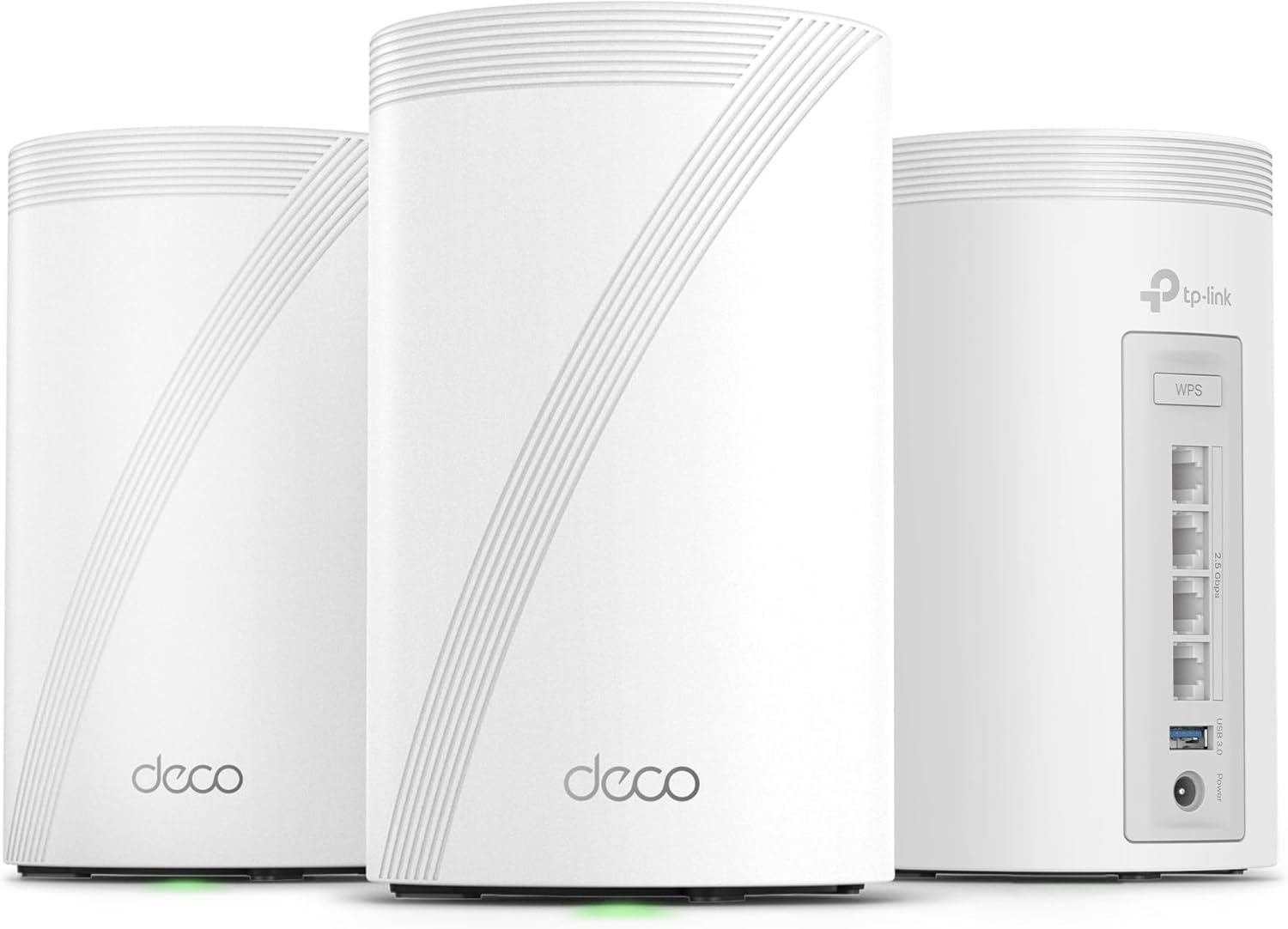
The top-tier multi-purpose router for households with a lot of electronic devices is the TP-Link Deco 7 Pro BE63.The specifications stop being incremental at this point. The BE63 resolves every issue that budget selections fail to address.As a first option, there’s tri-band WiFi 7, BE10000, which offers 5,188 Mbps over 6 GHz alone and an additional private backhaul lane.After that, four 2.5 Gigabit ports and one 10 Gigabit port will ensure that the network is never an issue.
Lastly, with more than 200 devices and 7,600 square feet, it has the highest capacity ceiling of the three options.Unless you have a really fast internet subscription, it’s overkill. Subscriptions are required to access HomeShield’s top features. Nodes are really big.The ideal setup for high-device households with lightning-fast internet is a multi-story home. Avoid: low-budget designs and studios.
2: NETGEAR Orbi 770 Series Mesh System

If you have a really expansive home, you need the NETGEAR Orbi 770 system.Some houses are completely immune to mesh. Featuring long ranch plans, detached garages, and a yard that you truly desire to have covered.First, the most extensive coverage area on our list, spanning 8,000 square feet using a router and two satellites.Next up: tri-band WiFi 7 with speeds of up to 11 Gigabits, accompanied by Enhanced Backhaul to shield your devices from satellite links.
Lastly, high-performance antennas designed for 360-degree coverage make installation less of a concern in challenging configurations.Disadvantages: does not support as many devices as the BE63 below it (100). A 2.5 gigabit internet port is all it has. Premium security comes at an additional cost.Outdoor coverage, large ranch homes, and properties with multiple buildings are ideal. No smart houses or flats with a lot of devices should use this.
1: Amazon eero Pro 7 Mesh System

If you live in a house where dead zones can still exist even with a top-notch mesh WiFi setup, then you need the Amazon Eero Pro 7.Up until now, every system has used the nodes in the box to cover your residence. You get a new one if the first one doesn’t fall out.A few Amazon Echo devices can double as mesh extenders with the built-in eero feature. As coverage, a speaker who is currently in that empty space becomes part of the network. This is something no other system delivers.Our second recommendation is the tri-band WiFi 7, which offers wireless speeds close to 3.9 gigabits and supports plans up to 5 gigabits.
Third, each unit has two 5 Gigabit Ethernet ports that automatically detect each other; nothing needs to be done in terms of WAN or LAN configuration.Number four: 600 devices spread across 6,000 square feet, using interference-avoiding TrueMesh routing.The most costly option here is a drawback. Enhanced safety features and parental controls require a paid membership. Select models are required for Echo extension.Perfect for: Homes with Alexa and multiple stories that have a single unresponsive room. Do not purchase if you are on a tight budget or if you do not own a home from Amazon.
Things to Consider Before Buying a Mesh Wifi Router:
Just stepping into the world of mesh WiFi routers presents exciting possibilities for your home internet experience. With various options available, understanding key factors before purchasing will ensure optimal performance and coverage tailored to your needs.
Dual-Band vs. Tri-Band Systems
Choosing between dual-band and tri-band systems often depends on your home setup. Dual-band routers support two frequencies, while tri-band systems add an additional 5 GHz band. Greater efficiency with tri-band makes it ideal for environments with multiple devices.
Wi-Fi 6 vs. Wi-Fi 7 Standards
Wi-Fi 6 offers improved speed and efficiency, ideal for congested environments. Wi-Fi 7, set to enhance this with even faster speeds and reduced latency, makes it a worthy consideration for the future.
Wi-Fi 6 can handle more simultaneous connections and provides better performance in crowded areas, such as apartments or office settings. Wi-Fi 7, on the other hand, introduces features like multi-link operation (MLO), which enables data to travel across multiple channels simultaneously, resulting in significantly improved bandwidth. As you assess your options, think about your current usage, potential future needs, and whether investing in Wi-Fi 7 may benefit your setup in the long run.
Benefits of Seamless Roaming and Coverage
A well-configured mesh network allows devices to switch between nodes without noticeable drops in connection strength. This allows users to move freely within their home or office while maintaining a strong signal. Such flexibility enhances the overall internet experience, particularly in multi-story buildings.
Potential Drawbacks in Speed and Initial Cost
High upfront costs and potential speed issues may deter some users from choosing mesh networks. While the initial investment can be significant, ongoing costs and performance should also be considered when thinking about a mesh system.
Investment in a mesh Wi-Fi network typically comes with a higher initial price tag due to the multiple nodes required for full coverage. While these systems do offer extensive reach, they can sometimes experience reduced speeds, especially when several connections occur simultaneously. Proper placement and configuration can minimize these drawbacks, but advanced setup may be required to ensure optimal performance.
Square Footage and Floor Plan Layout
Evaluating your home’s dimensions and layout is crucial. Larger spaces often require more nodes to ensure comprehensive coverage, while unique floor plans may necessitate strategic placement for optimal performance.
Device Density and Bandwidth Demands
Understanding how many devices will connect simultaneously can influence your choice significantly. High-demand devices, such as 4K streaming TVs or online gaming consoles, may require routers with advanced bandwidth management features.
In homes with numerous connected devices, bandwidth allocation becomes crucial. A smart home setup, including appliances, smartphones, and computers, might require a mesh router with advanced capabilities to handle multiple streams without lag. Look for systems designed to prioritize bandwidth to crucial devices, ensuring smooth performance even under heavy loads.
Initializing the Primary Hub and Satellites
Starting with the primary hub, ensure it is correctly connected to your modem. Power it on and wait for the LED indicator to confirm a stable connection. Afterward, follow the app or interface prompts to add satellite units, which should be placed in areas where coverage is needed, ideally halfway between the hub and dead zones.
Strategic Node Placement for Maximum Range
Node placement significantly affects signal strength and coverage. Distributing nodes evenly throughout your space, particularly in open areas, ensures better connectivity. Consider placing them high on shelves or walls to reduce obstructions, as this can mitigate dead zones and improve overall network performance.
Implementing Wired Backhaul for Peak Stability
Using wired backhaul connects your mesh nodes via Ethernet cables. This setup eliminates reliance on wireless communication between nodes, resulting in faster speeds and reduced latency. Wired connections are less prone to interference, contributing to a more stable WiFi experience.
Choosing wired backhaul taps into the full potential of your mesh system. In homes with multiple devices consuming bandwidth simultaneously, this method can significantly enhance performance. By linking primary nodes and satellites through Ethernet, you ensure each node operates cohesively, which is especially beneficial for gaming or video streaming activities that demand lower latency and higher speeds.
Conclusion
Consider factors such as your home’s size, the number of devices, and internet usage habits before choosing a mesh WiFi router. Evaluate the features that best suit your needs and ensure the system can cover your entire living area effectively. A well-researched decision enhances your network’s performance and reliability.
Leave a Reply