
Looking for the best PS5 headsets to boost your gaming experience? We know poor sound quality can kill the thrill, so we’ve handpicked top options that deliver immersive surround sound and crisp audio. Our expert review outlines headsets that not only enhance every explosive gaming moment but also ease your setup woes. Get ready to feel the adrenaline with every beat as we dive into the ultimate guide that will transform your PS5 gaming sessions.
Contents
- Top 5PS5 Headsets:
- 1. Logitech G PRO X 2 Lightspeed Wireless Gaming Headset
- 2. SteelSeries Arctis Nova 7P Wireless Gaming Headset
- 3. Turtle Beach Stealth 600 Wireless Gaming Headset
- 4. Logitech G435 LIGHTSPEED Wireless Gaming Headset
- 5. Drop + EPOS PC38X Gaming Headset
- Things to Consider Before Buying a PS5 Headset:
- The Importance of Sound Clarity and Depth
- Pros and Cons of Wired Connections
- The Freedom and Challenges of Wireless Technology
- Headset Ergonomics That Prevent Fatigue
- Material Matters: Foam, Fabric, and Breathability
- Understanding Software and Firmware Requirements
- Final Words
Top 5PS5 Headsets:
1. Logitech G PRO X 2 Lightspeed Wireless Gaming Headset
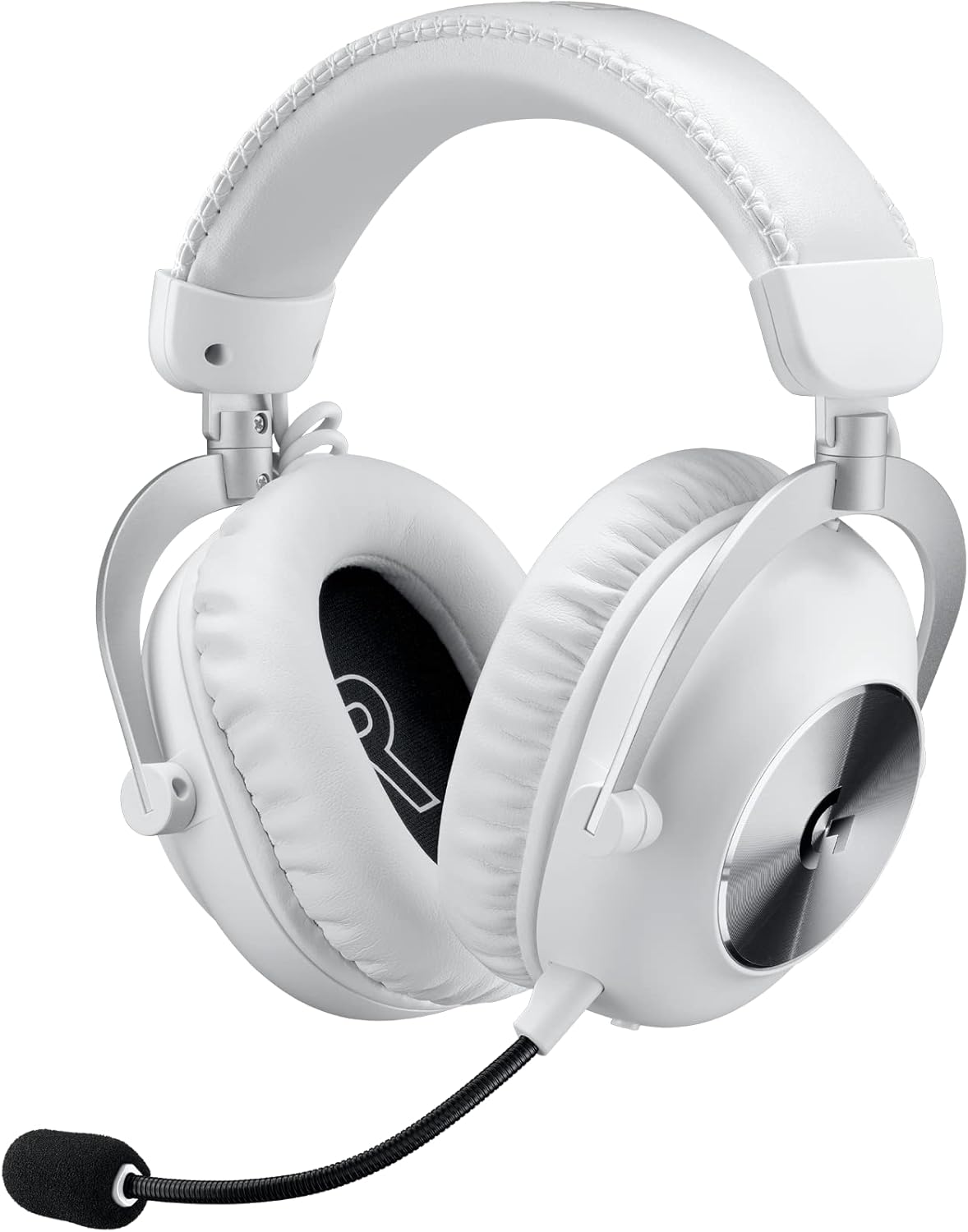
If you’re in need of a high-end wireless PS5 headset for an upper mid-range price, the Logitech G PRO X 2 LIGHTSPEED Wireless is designed to take every session to the next level. You receive a more durable build compared to the former PRO X, as well as ear cups with a greater range of motion that make it more convenient to seek that natural, customized fit. With low-latency LIGHTSPEED wireless that delivers clear and responsive audio, and play all your favorite music and access all your favorite audio content up to 12 meters away from your computer, with no cable to hold you back.
Battery life is a highlight: almost 100 hours is virtually days of gaming before you have to reach for a charger. Switch to Bluetooth for when you’re away from your console and you want to stay connected to your phone for music or podcasts.
There’s one caveat: It lacks multi-device pairing. It’s one that means you can’t simply answer a call on your phone and resume your game without pushing a button to change connections. If you need to be able to hop devices seamlessly, this can be important. If what you’re really looking for is comfort and performance, then you’re in the right hands.
You also receive an additional pair of earpads of the breathable cloth type, so you can customize comfort and feel quickly. If you’re a PS5 player and need a dependable low-latency solution with long battery life and a comfortable fit in a premium, but still affordable, option, then the G PRO X 2 LIGHTSPEED hits where it matters.
2. SteelSeries Arctis Nova 7P Wireless Gaming Headset

If you’re after a well-rounded, mid-price headset for your PS5 Pro that does everything you need, then the SteelSeries Arctis Nova 7P Wireless is a smart purchase. It’s less expensive than the Logitech G PRO X 2 LIGHTSPEED, and though it’s not quite as luxe or premium feeling, it has the features you’ll actually use: reliable multi-platform wireless connectivity, gentle cloth ear cushions, and simple on-ear controls.
You will experience a warm, bass-heavy sound that provides explosions and engines with a satisfying amount of weight. Prefer a different flavor? Its companion software by SteelSeries even has a decent parametric EQ, so you can dial in for clearer dialogue, less bloated lows, more sparkle in the highs. That also means you can save your EQ profile to the headset, so you can tune it on a PC, then bring the same sound quality over to a console without hassle.
Fit is a determining factor in what you hear. If you wear glasses or have very thick hair, the ear-cup seal may break, and bass levels can change from session to session. A little tweak to fit — shifting the cups a little, bending the clamp slightly — and a minor adjustment to the EQ usually sorts it.
Get the Nova 7P if you love flexibility and control: Comfy cloth pads, wireless for any device and serious tuning tools to help you make the sound your very own. If you want the most pampering feel, the Logitech wins out still; for value and customization at this price, the Nova 7P makes more sense.
3. Turtle Beach Stealth 600 Wireless Gaming Headset

If you are looking for a wallet-friendly wireless headset that feels more premium than its price tag would suggest, then the Turtle Beach Stealth 600 Gen 3 makes for a solid investment as long as you don’t mind missing out on any of the extra bells and whistles you might not need. You can’t plug it in wired, but the accompanying USB dongle brings dependable low-latency audio to your PlayStation for gaming that’s responsive, voice chat that’s in sync.
You also have support for Bluetooth, which will enable you to connect to your phone or a tablet you step away from the console. With no simultaneous audio mix (as some pricier headsets, like the SteelSeries Arctis 7, manage), you can’t mix audio between two sources at the same time, but you can jump back and forth between them rapidly. On-ear controls, including a dedicated QuickSwitch button, let you quickly balance and adjust between game and chat audio, and the adjustable boom mic flips up to mute, while ensuring your team can hear you, and that you’re clear and heard.
If cutting the cord and the lag that accompanies it, along with a slimline budget are your priorities, this headset has a strong argument. You have the freedom of wireless play, Bluetooth for everyday, and even an easy way to switch the device you’re using if your attention moves. If you’re not super concerned with dual-audio mixing, the Stealth 600 Gen 3 is a clever, close fit that prioritizes the most important thing: reliable wireless support at a cost it isn’t too painful to pay.
4. Logitech G435 LIGHTSPEED Wireless Gaming Headset
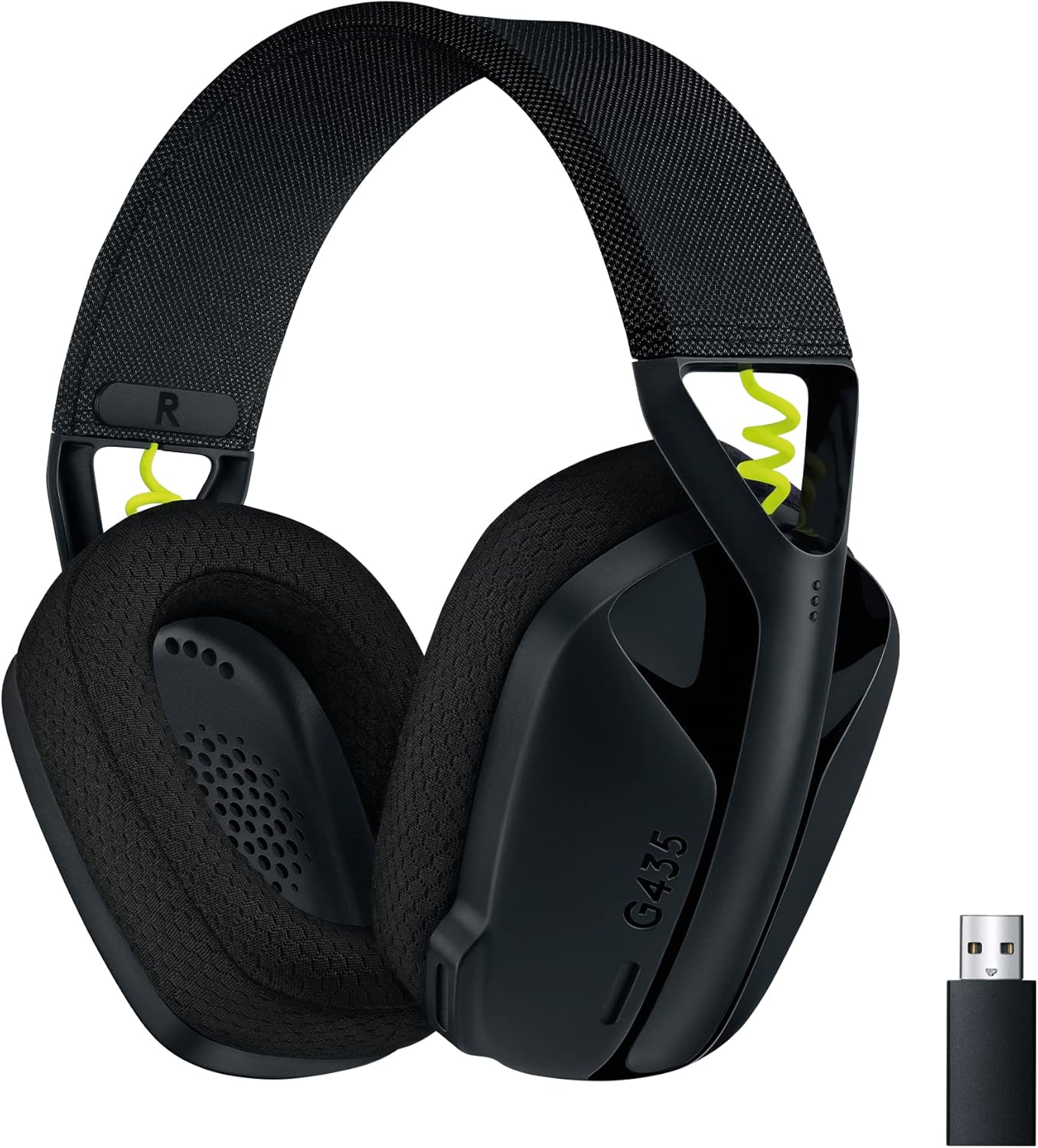
If an affordable wireless headset for your PS5 is what you’re after, you can’t go wrong with the Logitech G435 LIGHTSPEED. An included usb LIGHTSPEED dongle ensures players can hear every detailed audio of their game and sound completely in sync with on screen action. The combination of lightweight build and soft ear cups ensures a comfortable experience over long sessions, and the fit is great if you have a smaller head – so it’ll fit younger players quite nicely, or just those who are a fan of a more snug, compact design.
You can toggle to Bluetooth mode when you’re out of the console’s Bluetooth range, enabling you to connect to a phone, tablet, or laptop in seconds. At this price, you you won’t get things like an EQ or channel mixing, you can’t fine-tune the sound in an app. The default tuning, though, is skewed warm, giving extra punch to things like effects and explosions. Good midrange accuracy means voices, footsteps and instruments sound clear and detailed, which is ideal for dialogue intelligibility and for tracking audio cues.
Controls are simple, and you can volume up or mute without poking through menus. If you’re low on funds and need no-frills wireless for PS5 that works well, the G435 does the basics right: a low-latency dongle for stable gaming, Bluetooth for typical, day-to-day listening, comfortable fit and an easy-listening sound profile that’s a little relaxed but enjoyable out of the box.
If you crave a more spacious fit or deep sound customization, then look up the line. If not, you’ll end up with a minimal, dependable headset that places an emphasis on comfort, clarity and worth.
5. Drop + EPOS PC38X Gaming Headset

If you’re playing on a PS5, and you want to experience more of a true representation of space in your games, the Drop + EPOS PC38X Gaming Headset is what you’re looking for. Its open-back design lets sound breathe, yielding an airy, realistic soundstage that makes it easy to pinpoint subtleties like footsteps, gunshots, and environmental cues. You’ll simply plug it directly into your DualSense for reliable, lag-free audio.
You should know the trade-offs. Since it is open-back, it will not isolate you from the world’s commotion, and sound will bleed from it, meaning it is better suited for a quiet, controlled room. In exchange, you’re treated to a spacious presentation that feels less like it’s contained inside a box–as many closed-back headsets do–along with very good positional awareness that can enhance both your immersion and your competitiveness. Comfort is a high point – simple to use, the attached mic means team comms come through loud and clear without any hassle.
Price-wise, it’s in the same mid-range category as the SteelSeries Arctis Nova 7 Wireless, but what’s at the top of the list of priorities are “different.” The Nova 7 looks to wireless freedom and improved isolation in shared spaces. The PC38X aims to deliver open, spacious sound without any battery to manage and no software to install in a listen that’s as natural as they come.
Grab the PC38X if you’re a gamer and in search of an open soundstage along with high-end comfort and accurate imaging. If you want to block sound out and keep music in — or if you want the wireless option — then the Arctis Nova 7 or another closed-back option will be a better fit. In any case, you’ll know you made your pick based on how and where you play.
Things to Consider Before Buying a PS5 Headset:
Buying a PS5 headset means assessing compatibility with the console and Tempest 3D Audio, audio fidelity and microphone clarity, comfort for long sessions, wireless latency versus wired reliability, battery life, build quality, and software customization; you should balance surround-sound features and price-to-performance to pick a model that suits your playstyle and setup.
The Importance of Sound Clarity and Depth
Clear mids preserve dialogue and callouts while controlled sub-bass (sub-60Hz) gives explosions weight; seek low THD (ideally <0.5%), tight driver damping and minimal resonance. You benefit from headsets with impedance ≤32Ω and sensitivity >100dB/V so the DualSense jack can drive them without extra amplification, and decide between closed-back for bass impact or open-back for a wider soundstage.
Pros and Cons of Wired Connections
Plugging into your DualSense or the PS5’s USB ports gives near-zero latency and consistent chat levels. Wired headsets use a 3.5mm jack on the controller or USB-A/C for models with onboard DACs; 3.5mm limits mic and ADC fidelity while USB can support higher sample rates (e.g., 24-bit/96kHz). Typical cable lengths (1.2–3 m) eliminate battery headaches and RF interference but keep you tethered and exposed to cable wear.
The Freedom and Challenges of Wireless Technology
Choosing wireless gives you couch-to-kitchen mobility and fewer physical hassles: 2.4 GHz dongles typically deliver low latency under 10–20 ms and 10–15 m range, while Bluetooth often sits around 30–60 ms. Battery life spans 12 hours (Pulse 3D) to 24–40 hours (Arctis 7P/Pro models). PS5’s limited native Bluetooth support means many headsets rely on their USB dongle for full game and mic functionality.
Wireless adds complexity: crowded 2.4 GHz bands and neighboring Wi‑Fi can cause dropouts in multiplayer lobbies, and competitive gamers will notice differences—approximately 8 ms (dongle) versus ~40 ms (Bluetooth) can affect aim timing. You’ll handle firmware updates, device switching quirks, and occasional pairing resets; for PS5, expect most wireless headsets to function best with their supplied USB adapter.
Headset Ergonomics That Prevent Fatigue
Choose suspension or padded metal headbands with multiple adjustment stops and earcups that swivel roughly ±15° to match your skull shape; this reduces localized pressure. You should perform a 10–15 minute fit test—if hotspots appear within that window, the clamp or pad design is the cause. Models with lower overall clamping force and larger contact areas tend to let you play comfortably for longer.
Material Matters: Foam, Fabric, and Breathability
Memory foam earpads conform to your ear and reduce pressure points, while breathable mesh fabrics wick sweat better than PU leather, which can trap heat. Look for pad thickness of 20–40 mm and replaceable covers so you can swap leatherette for cloth in warmer sessions; that single change often extends comfortable playtime by an hour or more for many users.
High-density memory foam keeps its shape longer and provides consistent cushioning over hundreds of hours, whereas low-density foams flatten quickly and create new pressure spots. Perforated leather or hybrid pads combine isolation with some airflow; cooling gel inserts can lower skin temperature slightly during extended play. You should prioritize replaceable pads—brands that sell spare pads let you experiment (cloth vs. leatherette) to find the balance between noise isolation and breathability that fits your typical session length.
Understanding Software and Firmware Requirements
Many headsets require you to install firmware updates and companion apps to unlock full functionality: SteelSeries uses GG/Engine, Astro relies on Command Center, and Razer updates via Synapse. PS5 system updates can change headset behavior, and outdated firmware may cause mic dropouts, latency, or loss of 3D audio. Check whether updates are delivered via PC, mobile, or directly through the PS5 and review changelogs for PS5-specific fixes before finalizing your choice.
Perform a quick compatibility checklist: connect the headset to a PC to run the manufacturer updater (USB wired/dongle), note your current firmware version, and apply the latest patch—many fixes address battery calibration, RF interference, or mic gain. Keep your PS5 on the latest system software since Sony has rolled out USB audio and 3D audio tweaks in past updates. If a headset advertises PS5-only features, verify those appear in release notes or FAQs before you buy.
Final Words
Ultimately, you should weigh PS5 compatibility, audio fidelity, microphone clarity, comfort for long sessions, wired vs wireless trade-offs and battery life, 3D audio support, and warranty against your budget, and test fit and sound when possible to ensure the headset matches your playstyle and lasts.
Leave a Reply